
Salary Structure Design
Aligning payroll investments with actual job value, not just years of service.
See details →Pay Compass
Place employees on the new salary structure, choose how to handle each person with the full cost in view, and let executives see the budget change before approving.
One file
Opens in a web browser
No install
No server needed
No Payroll connection
Your data stays with your organization
Comes with a manual
Your HR team keeps using it after the project
See
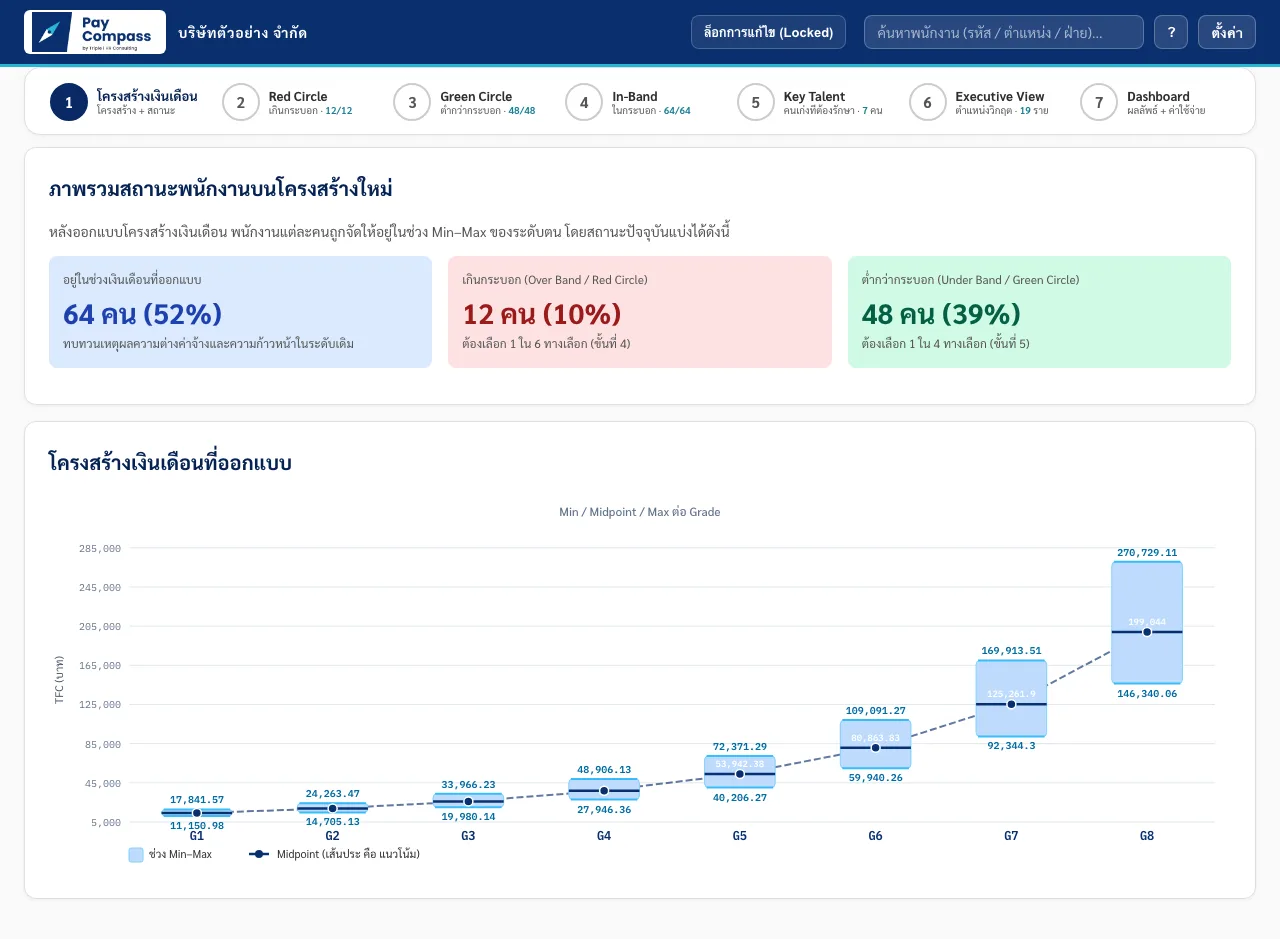
Every employee is placed on the salary range of their job level, and the screen separates who is within range, above the maximum and below the minimum.
The designed salary structure and the status of each group of employees sit on one screen. HR does not need to open several files to answer an executive who asks where our people stand.
Decide
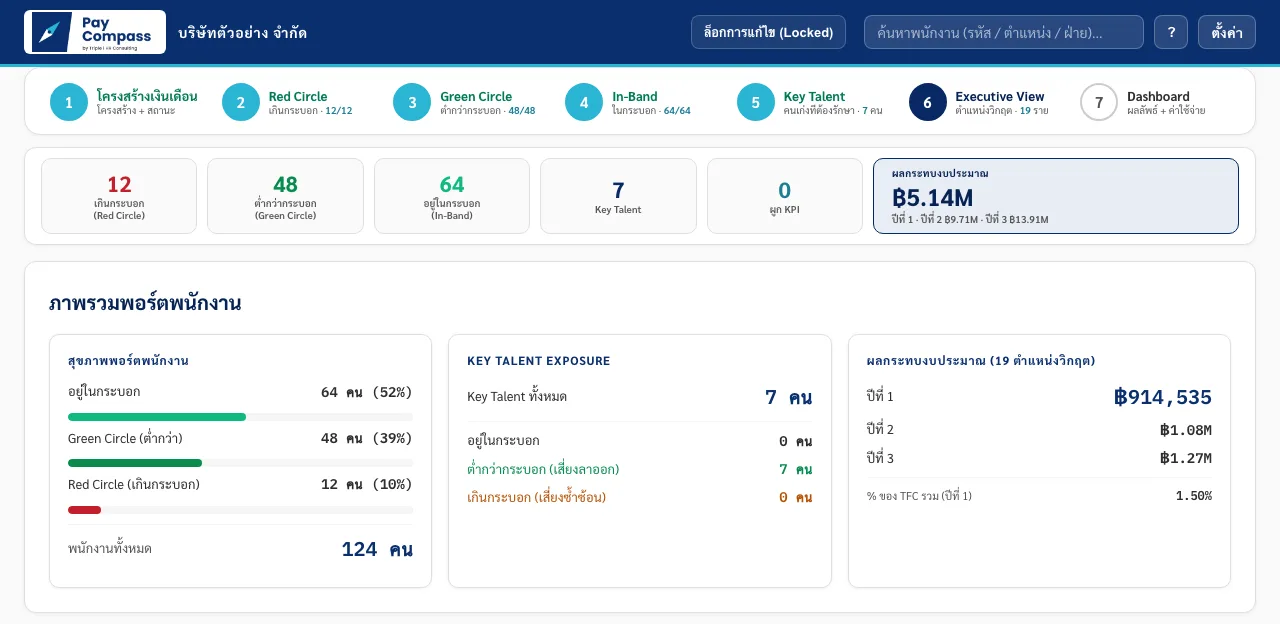
The numbers executives need to decide are on one page, readable without understanding the whole salary structure.
A summary of each employee group and the effect on the annual budget, so the approval meeting understands the picture faster.
Plan
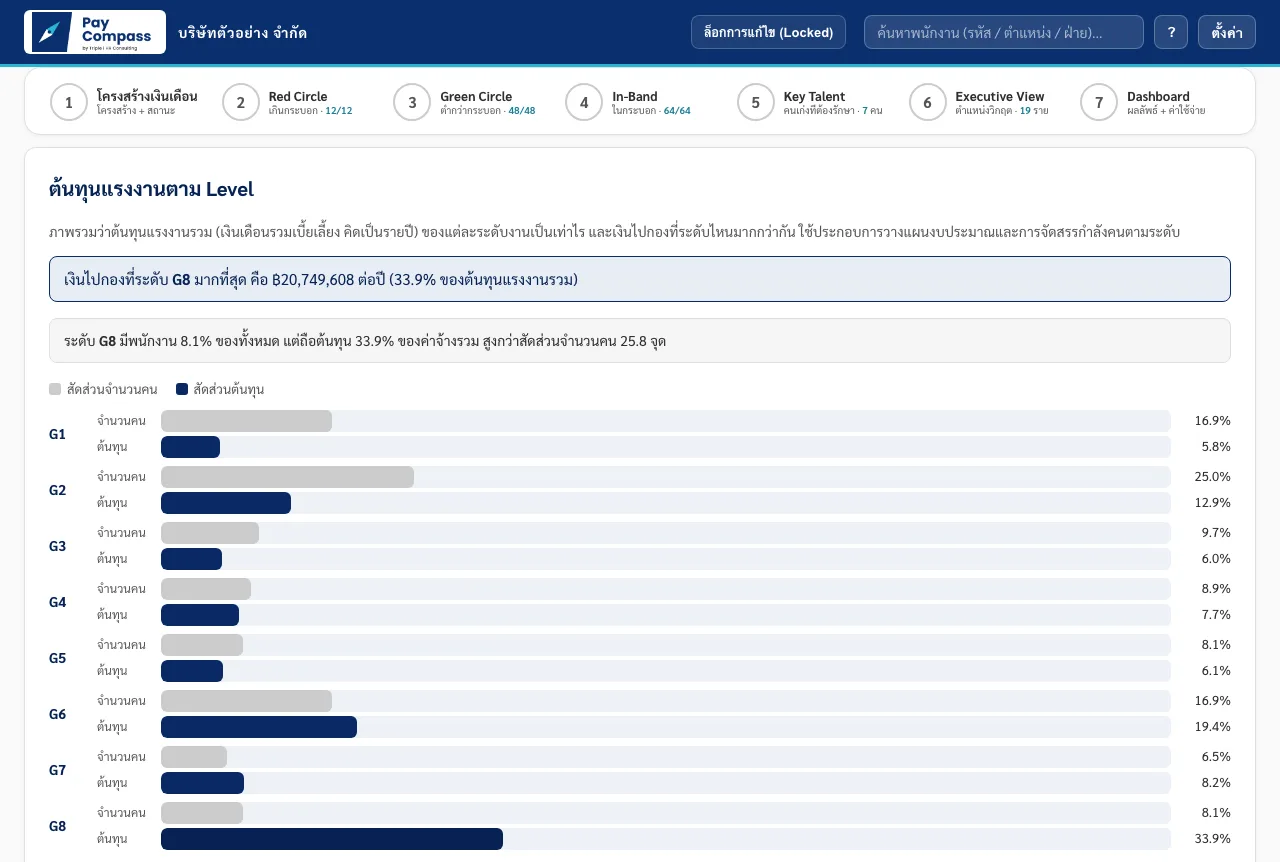
After the project ends, your HR team keeps managing the structure with Pay Compass: when hiring, when setting the budget, and when updating the employee roster each year.
See which levels carry the labor cost, and talk budget with executives from the same picture.
Related services
Aligning payroll investments with actual job value, not just years of service.
See details →A KPI and evaluation system that cascades organizational goals down to every position.
See details →JDs that go beyond listing duties. They connect roles with organizational outcomes.
See details →Packages and pricing
Lite is for organizations that want to work on their own. Priced per year, by headcount.
5,900 THB per year
excluding VAT
Request a quotation →9,900 THB per year
excluding VAT
Request a quotation →14,900 THB per year
excluding VAT
Paid by bank transfer. We issue a quotation based on your headcount.
Request a quotation →Every Lite tier includes
For organizations that hire Triple I to design the salary structure. Full comes with the project and adds per-person options, a pay raise simulator, a new-hire range and job evaluation, which the Lite package does not include.
Book a free 30-minute call →For Full clients after the first year. Includes one salary range adjustment a year, about 2 hours of Q&A and program updates.
20,000 THB per year
excluding VAT
Paid by bank transfer. We issue a quotation for your package.
Request a quotation →60,000 THB per year
excluding VAT
Paid by bank transfer. We issue a quotation for your package.
Request a quotation →Included in the project
Book a free 30-minute call. We will explain how the tool works with your data.